Get FreeGym Workouts on your TV
A free, follow-along workout player for your TV. No account, no login screen — just pick or create a profile right on the TV and start training.
Open the web appTry the web app today. The TV apps are on the way.
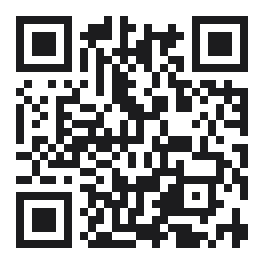
freegymworkout.com/tv/
Coming soon to
Fire TV
A free follow-along workout app for Fire TV.
Coming soonGoogle TV & Android TV
The same free app for Google TV and Android TV devices.
Coming soonRoku
A free follow-along workout app for Roku.
Samsung, LG and Apple TV support is planned for later. There are no dedicated pages for them yet.
How it will work, once the apps ship
- Search “FreeGym Workouts” on your TVFind it on your TV’s app store or with voice search, once it is listed.
- No sign-in neededOpen the app and go straight in — there is no account to create.
- Pick or create a profileA short onboarding asks for a name, goal, fitness level and equipment.
- Workouts stay on that deviceYour profile and history stay on the TV, not in the cloud.
Frequently asked questions
Is FreeGym Workouts free?
Yes. FreeGym Workouts is free to use, with no subscription, on the web today and on TV once the apps ship.
Do I need an account to use it?
No. There is no sign-in, no email and no password. You pick or create a profile on the device itself.
Where is my data stored?
On the device you use. TV profiles and workout history stay on that TV; the web demo keeps data in your browser.
Which TVs will FreeGym Workouts support?
Fire TV, Google TV and Android TV, and Roku are coming first. Samsung, LG and Apple TV are planned for later.
Can I use FreeGym Workouts right now?
The TV apps are not out yet. You can try the free web app today at app.freegymworkout.com.
Is there a store listing yet?
Not yet. FreeGym Workouts is not listed on the Amazon Appstore, Google Play or the Roku Channel Store. Bookmark this page to know when it ships.
Need help? See our privacy policy or try the web app.